

Xbox Cloud Gaming is entering a significant new phase in November 2026, with Microsoft introducing monthly streaming limits for Game Pass subscribers, expanding access to cloud gaming without a subscription, and testing new ways to control games across supported devices. The company is also rolling out a redesigned experience for PC, web, smart TVs, and virtual reality headsets, aiming to make cloud gaming faster and easier to navigate.
These changes represent more than a routine service update. They affect how players access their games, how much streaming time comes with each subscription, and whether a traditional controller is necessary to start playing. Some features are already available through previews, while others are being introduced gradually across markets and devices.
Xbox Cloud Gaming Monthly Limits Change the Game Pass Experience
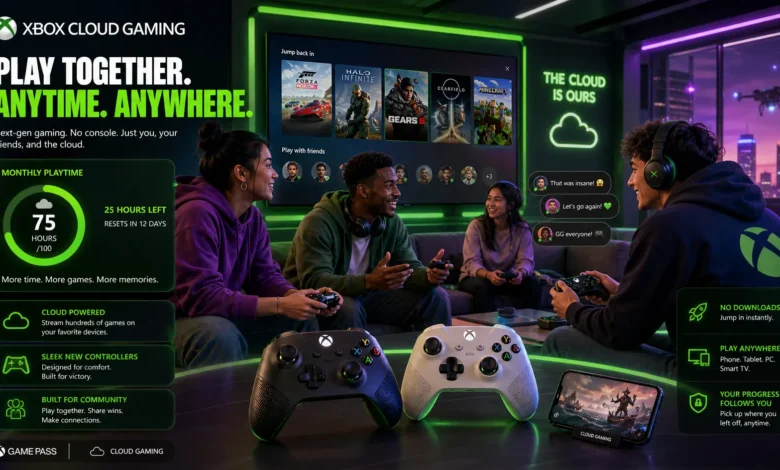
One of the most significant changes to Xbox Cloud Gaming is Microsoft’s decision to replace unlimited cloud streaming with a fixed monthly allowance for Game Pass subscribers.
Previously, eligible subscribers could use cloud gaming without a monthly time limit. Starting in November 2026, however, each Game Pass tier will include a specific number of streaming hours:
- Game Pass Ultimate: 15 hours of cloud gaming per month.
- Game Pass Premium: 10 hours per month.
- Game Pass Essential: 5 hours per month.
The new structure means that players who regularly stream games for extended periods may need to reconsider how they use their subscriptions. Ultimate subscribers receive the largest allowance, but even that tier provides only 15 hours of cloud playtime each month.
Microsoft estimates that the change will affect approximately 4% of Game Pass subscribers. The company acknowledges that introducing these restrictions is a meaningful change, particularly for players who depend heavily on streaming rather than downloading games or playing directly on an Xbox console.
Read Also:
Sony Strategy Shift 2026: Return to Absolute Console Exclusivity
Starlink V3 Satellites Deliver 1 Tbps Capacity as SpaceX Expands Its Global Network
Why Is Microsoft Limiting Cloud Gaming Hours?
Microsoft says the decision reflects the growing cost of operating its cloud gaming infrastructure. As more people use the service and spend longer playing, the company faces higher costs associated with maintaining servers and delivering streaming performance.
The company says the new model will help it continue investing in the reliability and performance of cloud gaming. However, the practical impact for some subscribers could be additional spending, particularly if they regularly exceed their monthly allowances.
Players who use cloud gaming occasionally may not notice a major difference. Those who rely on it as their primary way to play, especially on mobile devices, PCs, or supported televisions, could feel the restrictions much more directly.
Microsoft has also said that subscribers will be able to purchase additional playtime through the Xbox Store after using their included hours. Availability and purchasing options may vary depending on the market.
Xbox Cloud Gaming Adds Pay-As-You-Go Access Without Game Pass
Another important development is Microsoft’s plan to make cloud gaming available to players who do not have an active Game Pass subscription.
Under the new Cloud Playtime model, eligible users can purchase blocks of streaming hours through the Xbox Store and use them to stream supported games they already own. This creates an alternative to paying for a recurring monthly subscription simply to access cloud gaming.
The idea is particularly relevant to players who only stream games occasionally. Someone who owns an Xbox-compatible game but does not want to maintain a Game Pass membership could purchase cloud playtime when needed instead.
How Much Do Additional Cloud Playtime Hours Cost?
Microsoft introduced the new purchasing model to Xbox Insiders on October 21, 2026, with the following introductory prices:
| Cloud Playtime Package | Introductory Price |
|---|---|
| 10 hours | $3.99 |
| 25 hours | $7.99 |
| 50 hours | $11.99 |
These prices were announced for the Xbox Insider preview, which initially targets eligible users without an active Game Pass subscription. Microsoft describes them as introductory launch prices, so they should not automatically be treated as confirmed prices for every market or for subscribers purchasing additional hours after reaching their monthly limits.
There is another useful detail: purchased playtime remains available until it is used rather than expiring at the end of a monthly billing cycle. Microsoft also says these packages provide an ad-free experience, shorter waiting times, and high-quality streaming.
The distinction between owning a game and purchasing streaming time is important. Cloud Playtime does not provide a new game library by itself. Users still need an eligible cloud-playable game purchase, or access to certain free-to-play titles, along with a supported device.
For players who prefer occasional gaming over a monthly subscription, this approach could offer more flexibility. However, its overall value will depend on the final pricing, supported games, and availability in individual markets.
Xbox Cloud Gaming Tests New Controller Features for Smart TVs
Microsoft is also experimenting with two new ways to control cloud games, making the service more convenient for players who do not always have a physical controller nearby.
Announced on November 4, these features are currently available through previews rather than representing a universal release.
Use Your Smartphone as an Xbox Controller
The first feature allows players to use a supported Android or iOS smartphone as a controller when playing cloud games on compatible smart TVs.
Instead of searching for a physical Xbox controller, players can connect their phone and access the controls through a browser. The feature is designed to make starting a gaming session easier, particularly when a controller is unavailable.
Some games will also receive controls adapted to their specific gameplay requirements. This could make the smartphone experience more practical than simply displaying a generic set of buttons.
To access the preview, users need to enable Preview Features under Settings and Account in the supported smart TV experience. When they launch a game without a physical controller connected, an option to use their phone should appear if the feature is available on their device and in their market.
The rollout is beginning in countries where Xbox Cloud Gaming is supported, although device compatibility and availability may differ.
Xbox Nano Controller Introduces Cloud Connect
The second feature is more focused on reducing input latency.
Microsoft is testing Cloud Connect with its new Xbox Nano Controller, allowing the controller to connect directly to the cloud gaming session over Wi-Fi rather than relying on a conventional Bluetooth connection to the television.
The difference matters because controller input must travel through several stages before an action appears on screen. A direct connection to the cloud server running the game can help reduce input latency and make controls feel more responsive.
This could be particularly useful in games where timing and precision matter, including racing titles, action games, and competitive experiences.
However, Cloud Connect remains an early preview. As of Microsoft’s November 4 announcement, the test is available to players in the United States using supported smart TVs and web experiences. It does not work with every cloud gaming experience yet.
Players also need to configure the controller through the Xbox beta app on Android or the Xbox Accessories app on PC, depending on the setup method. Xbox Insider enrollment is required for the PC setup process.
The feature is promising, but its actual impact will depend on network conditions, supported games, and how widely Microsoft expands compatibility.
Xbox Cloud Gaming Gets a Faster Interface and a New Library Tab
Beyond subscription changes and controller features, Microsoft is updating the overall Xbox experience across PC, web, and cloud gaming.
On November 5, the company announced a redesigned Xbox PC app that can launch up to 60% faster in its testing. Microsoft also reported that pages such as Home, Store, and Game Pass can load up to 50% faster, while in-app windows can open up to 65% faster.
These figures are based on Microsoft’s internal testing, and actual results may vary depending on hardware, internet connectivity, system configuration, and usage.
A New Library Brings Cloud Games Together
One of the most useful additions is a dedicated Library tab in the refreshed Xbox web experience.
The tab brings together games that players can stream through cloud gaming, including eligible titles they own and games available through Xbox Game Pass.
Users can browse, sort, and filter their available games using options such as recently played titles, genres, and supported input methods. This should make it easier to identify which games are ready to stream without navigating between separate sections.
The updated web experience also introduces a desktop mode designed to make better use of larger screens. Instead of treating the PC browser like a mobile interface stretched across a monitor, the redesign provides more room to browse games and access relevant information.
Microsoft is also introducing dark and light modes, along with five high-contrast options intended to improve accessibility for different visual preferences.
Updates Are Expanding to Smart TVs and VR Headsets
The redesigned experience is not limited to computers and browsers.
Microsoft is beginning to bring the refreshed look and navigation to Xbox cloud gaming applications on supported smart TVs and virtual reality headsets.
The objective is to create a more consistent experience across different screens. Whether players use a PC, television, or VR headset, Microsoft wants the basic navigation and game discovery process to feel familiar.
The rollout is gradual. Xbox Insiders can try the updated PC app first, while the refreshed web experience is expanding to more users over the following weeks. Supported TV and VR applications are also receiving updates as Microsoft continues the rollout.
What These Xbox Cloud Gaming Changes Mean for Players
Taken together, the November updates show that Microsoft is reshaping the business model and user experience of Xbox Cloud Gaming at the same time.
The monthly playtime limits are likely to be the most controversial change. Players who previously treated cloud streaming as an unlimited benefit of their Game Pass subscriptions will now need to manage a fixed allowance or consider purchasing additional hours.
On the other hand, the option to buy cloud playtime without a subscription introduces a different type of access. It could appeal to people who own eligible games but do not want to pay for Game Pass every month.
The controller previews also address practical problems that can make cloud gaming less convenient. Smartphone controls could remove the need to find a physical controller, while Cloud Connect may improve responsiveness for compatible setups.
Meanwhile, the redesigned interface focuses on discovery, navigation, and performance. A dedicated cloud library could become particularly valuable as the number of streamable games grows.
There are still important limitations. Not every game supports cloud streaming, not every device is compatible with every feature, and purchasing options can vary by region. The new controller technologies are also still being tested rather than being fully available to all users.
Is Xbox Cloud Gaming Still Worth Using in 2026?
The answer depends largely on how frequently someone plays through the cloud.
For occasional players, the ability to purchase playtime without maintaining a Game Pass subscription could make the service more attractive. For subscribers who primarily download games or play on a console, the monthly streaming allowance may have little practical impact.
However, frequent cloud players face a different situation. Fifteen hours per month on Ultimate, for example, may be insufficient for someone who streams games several hours each week. Those users will need to compare the cost of additional playtime with other ways of accessing their games.
Microsoft’s latest updates suggest that cloud gaming remains an important part of its gaming strategy, but the company is moving toward a more controlled model in which subscription benefits, individual playtime purchases, and supported devices all play a role.
The coming weeks should provide a clearer picture of how the new limits and purchasing options work across different markets. For now, players should check their account’s regional availability and the latest Xbox Store information before assuming that preview features or prices apply to them.