Outlook Legacy on Snapdragon: Compatibility Explained
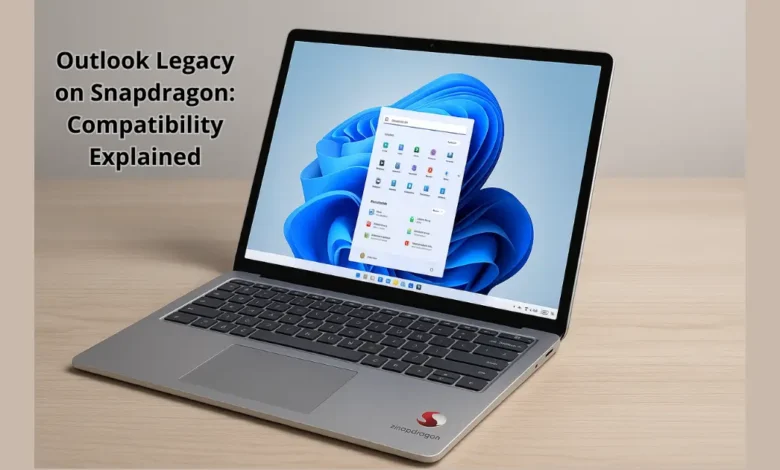
Outlook Legacy on Snapdragon raises questions among professionals moving to ARM-based Windows laptops — does the classic Outlook experience still work smoothly on these next-generation devices?
Table of Contents
Outlook Legacy on Snapdragon: What You Need to Know
With Microsoft and its partners pushing a new wave of Snapdragon-powered Windows laptops, compatibility with legacy software has become a real-world issue.
Users are asking whether Outlook Legacy, the classic version preferred by many professionals, can function properly on these ARM-based systems — particularly the new Surface Laptop 7 with Snapdragon Elite.
The question went viral after a Microsoft Tech Community post titled “Does Outlook Legacy work on Snapdragon chips?” sparked widespread attention. The concern reflects how vital this traditional desktop client remains for enterprise users who rely on features not yet present in the new Outlook app.
Why Compatibility Matters
ARM chips like Qualcomm’s Snapdragon promise greater energy efficiency, integrated 5G connectivity, and fanless design — all attractive traits for mobile professionals.
However, many Windows applications were originally designed for x86/x64 processors, creating friction when moved to ARM devices.
Windows on ARM does include x86/x64 emulation, but not every app performs identically under it. Legacy software like Outlook may technically “run,” yet encounter performance dips, plug-in failures, or unsupported features.
Outlook Legacy is one such example — a desktop app with deep system hooks, COM add-ins, and older frameworks that don’t always translate perfectly through ARM emulation.
User Reports and Microsoft Guidance
In the Microsoft Tech Community discussion, a Surface Laptop 7 user asked if Outlook Legacy still functions on the new Snapdragon platform. So far, Microsoft documentation indicates that Outlook Legacy is not officially supported on some ARM-based devices.
That means while the app might install or open, it’s not guaranteed to run reliably — and Microsoft won’t provide full technical support for it. Users have confirmed partial compatibility: the interface loads, but certain integrations and plug-ins (such as Exchange add-ins or PST archiving features) fail to operate correctly.
This highlights a broader issue: many professionals still depend on legacy apps that have yet to receive ARM-native updates.
Read Also :
OnePlus 15 Price Enters the Flagship Competition
Why Outlook Legacy Struggles on ARM Devices
- Architecture gap: Outlook Legacy was built for x86/x64 systems. ARM processors require emulation, which introduces overhead and potential instability.
- Add-in ecosystem: Many business plug-ins depend on system APIs or drivers not available in ARM builds.
- Certification limits: Microsoft doesn’t certify or test all legacy apps on Snapdragon, leaving compatibility uncertain.
- Performance differences: Even with emulation, users report slower sync speeds and higher battery usage compared to native ARM apps.
The Shift to the New Outlook
Microsoft’s long-term strategy is clear: move users toward the new Outlook app — a unified, web-based experience optimized for ARM. It’s lighter, modern, and officially supported on Snapdragon laptops.
However, early adopters have voiced frustration that the new Outlook lacks many advanced features of the Legacy version — such as PST file handling, full offline support, and certain enterprise customization tools.
This trade-off underscores a transitional phase: modern hardware is evolving faster than traditional enterprise software.
Practical Advice for Professionals
If you depend on Outlook Legacy, consider these tips before switching to a Snapdragon laptop:
- Check official compatibility lists from Microsoft or your IT department before purchasing.
- Test your workflow on an ARM device using trial installations or virtual environments.
- Evaluate the new Outlook app — Microsoft continues to expand its features, and it may soon cover most Legacy functions.
- Consider alternatives such as virtual machines or cloud-based Outlook access if your work requires legacy capabilities.
What This Means for the Future
The debate around Outlook Legacy on Snapdragon reflects a larger industry transition. As Windows evolves toward full ARM adoption, users and organizations must adapt their workflows and software stacks.
ARM performance is improving fast, and software vendors are steadily releasing native ARM64 builds. But in the near term, compatibility gaps like this one will persist — especially for complex desktop software built over decades of x86 legacy.
The bottom line: the classic Outlook experience isn’t fully optimized for Snapdragon yet, but the shift toward ARM computing is irreversible. Within a few product cycles, native support will likely close that gap entirely.
Outlook Legacy on Snapdragon represents the growing pains of technological evolution. While the chip delivers incredible battery life and silent performance, older applications like Outlook Legacy remain partly confined to the past.
If your productivity depends on classic Outlook, confirm support before upgrading. For everyone else, the new ARM-based generation of Windows devices marks a glimpse into the future — lighter, faster, always connected, and increasingly cloud-native.
FAQs
Q1: Can Outlook Legacy run on Snapdragon laptops?
It may run via emulation, but it’s not officially supported, and some features may not work properly.
Q2: Why is the new Outlook preferred on ARM?
The new version is built for cross-platform performance and native compatibility with ARM chips, offering better efficiency and stability.
Q3: Will Outlook Legacy ever gain full ARM support?
Unlikely — Microsoft’s development focus has shifted entirely toward the new Outlook ecosystem.
Q4: What can users do if they need missing features?
Use virtual machines, remote desktops, or web versions of Outlook until equivalent features appear in the new app.
Q5: Should professionals avoid Snapdragon laptops?
Not necessarily. If most of your software is modern or cloud-based, Snapdragon devices are an excellent choice. Just confirm critical legacy app compatibility first.
Discover more from Feenanoor
Subscribe to get the latest posts sent to your email.