How to Increase Internet Speed at Home: Practical Methods for Faster and More Stable Performance
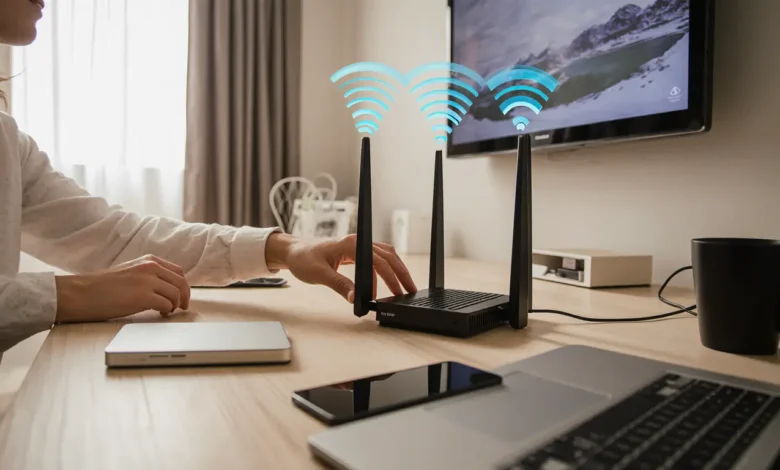
How to Increase Internet Speed at Home with simple, effective strategies that boost performance, reduce latency, and deliver a smoother experience for streaming, gaming, and remote work.
How to Increase Internet Speed at Home: Understanding Why Your Network Slows Down
Slow internet is rarely caused by a single issue. In most homes, reduced speed results from network congestion, outdated hardware, interference, poor placement, or service limitations. As more devices connect—smart TVs, laptops, phones, consoles, smart home systems—the available bandwidth becomes strained.
Many users assume that upgrading their internet plan will solve everything, but speed is affected by how the connection is distributed, managed, and optimized within the home. The solution is not just “more speed,” but smarter consumption and better performance management.
To increase speed, you must first understand what slows your network down. Digital habits matter. Streaming in multiple rooms, cloud backups, automatic updates, and gaming traffic can quickly overload a basic router. Addressing these demands requires a systematic approach.
Read Also : How to Improve WiFi Signal at Home: Practical Strategies for Faster and More Reliable Connection
Optimize Your Router Placement for Better Coverage
A common reason for poor internet speed is weak WiFi coverage caused by poor router placement. A router placed in a corner, behind furniture, or near appliances may limit range and create dead zones.
Better placement significantly improves performance:
- Position the router centrally
- Raise it above floor level
- Avoid placing it behind large objects
- Keep distance from microwaves and cordless phones
Internet speed is not just measured by megabits per second—it is shaped by the strength and stability of the signal reaching each device. Even high-speed plans suffer when signal distribution is weak.
Homes with multiple floors or thick walls often require more advanced solutions than repositioning alone, which is why performance hardware becomes essential.
Upgrade to Modern Hardware for Higher Speed
Internet speed is often bottlenecked by outdated equipment rather than the service plan. Older routers, especially those over five years old, lack technology such as:
- Multiple antennas
- Dual-band or tri-band WiFi
- Beamforming for targeted coverage
- WiFi 6 features for device efficiency
When a router cannot handle modern demands, users experience:
- Buffering in streaming
- Lag in gaming
- Slow-loading pages
- Drops in video calls
Upgrading hardware is one of the most effective ways to increase real-world speed, especially in homes with:
- Many devices
- Smart home systems
- 4K streaming
- Remote working setups
Modern routers distribute bandwidth intelligently, reduce congestion, and amplify coverage to support high-performance tasks.
Use Wired Connections for High-Priority Devices
While WiFi is convenient, wireless performance can degrade significantly due to interference, distance, and device limitations. Wired connections, in contrast, deliver maximum available speed with low latency, making them ideal for demanding tasks.
Consider using Ethernet cables for:
- Gaming consoles
- Desktop computers
- Streaming devices
- Office equipment
This not only improves performance on those devices but reduces demand on the WiFi network, improving wireless speeds for others.
Even if full wired coverage is impractical, wiring just two or three high-usage devices can dramatically improve network speed for everyone.
Reduce Network Congestion with Smart Bandwidth Management
Homes are digital ecosystems with constant competition for bandwidth. Large file downloads, automatic cloud backups, software updates, and streaming can impact performance, especially when happening simultaneously.
To manage bandwidth:
- Pause or schedule large downloads
- Disable auto-sync during peak usage
- Limit background app activity
- Prioritize important devices
Modern routers often include QoS (Quality of Service), which allows users to allocate bandwidth to specific applications. For example, it can ensure that video meetings receive priority over background downloads.
By managing traffic intelligently, you reduce latency, especially during peak usage hours.
Avoid Interference to Improve Wireless Performance
Devices that operate on similar frequencies can impact performance. WiFi signals compete with household electronics, creating interference that slows speed and reduces stability.
Common sources of interference include:
- Microwaves
- Wireless speakers
- Bluetooth devices
- Baby monitors
Switching from the 2.4 GHz band to 5 GHz can reduce interference significantly. While 5 GHz provides shorter range, it delivers higher speed and less congestion, especially in apartment buildings with many neighboring networks.
Using the right band for the right task can lead to noticeable improvements in speed and reliability.
Check Your Plan and ISP Limitations
Sometimes the issue isn’t inside the home. Internet service providers impose limitations based on plan, region, or infrastructure. Users with outdated plans or slow fiber/copper connections may suffer bottlenecks.
Signs your plan may be insufficient:
- Multiple users streaming HD content
- Video calls glitching frequently
- Online gaming lag
- Speeds differ greatly between day and night
Upgrading to a faster plan can help, but it should come after internal optimization, because many speed issues come from hardware, placement, and congestion—not from the provider.
Restart and Reset for Performance Maintenance
Although simple, restarting the router clears temporary data, ends stuck sessions, and re-establishes connections with a clean state. Regular restarts prevent:
- Slowdowns caused by memory overload
- Network errors
- Device connection failures
Occasionally performing a full reset restores factory performance, but it should be reserved for persistent problems.
Many households underestimate how much routine maintenance matters. Restarting every week can improve speed without changing hardware or settings.
Increasing internet speed at home is not about chasing bigger numbers, but about building an environment where your connection can perform at its best. By upgrading equipment, optimizing placement, reducing interference, and managing bandwidth intelligently, you create a system that supports modern digital life.
A fast connection is more than convenience—it is a requirement for work, communication, entertainment, and education. Improving internet speed translates directly to better experiences and more productive time.
FAQ
1. What is the fastest way to increase internet speed at home?
Upgrade your router and optimize placement to improve coverage and stability.
2. Does using Ethernet increase speed?
Yes, wired connections deliver faster, more stable performance than WiFi.
3. Does upgrading the internet plan fix slow speed?
Only if the plan is outdated. Many issues begin inside the home network, not with the provider.
4. How often should I restart my router?
Weekly restarts help prevent slowdowns and maintain performance.
Discover more from Feenanoor
Subscribe to get the latest posts sent to your email.