How to Improve WiFi Signal at Home: Practical Strategies for Faster and More Reliable Connection
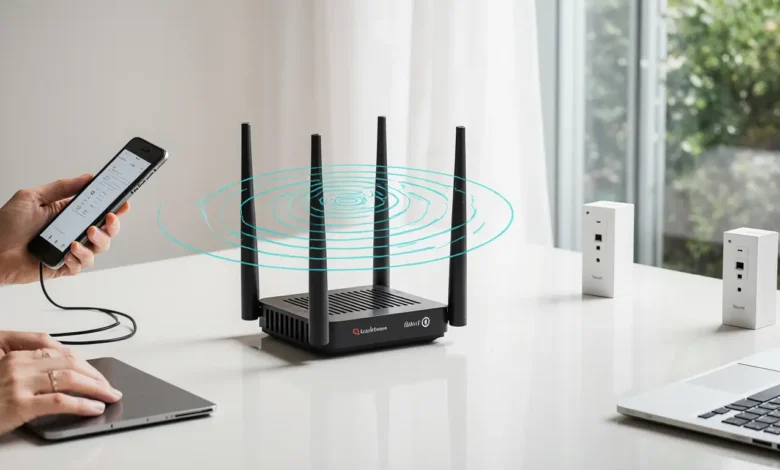
How to Improve WiFi Signal at Home with effective tips that boost speed, reduce interference, and expand coverage, helping you enjoy a smoother and more reliable online experience.
How to Improve WiFi Signal at Home: Understanding the Core Problem
Most WiFi problems do not start with the internet service provider, but with the network environment inside the home. Walls, distance, interference, outdated hardware, and poor configuration all contribute to a weak signal. Understanding why your WiFi is underperforming is the foundation for long-term improvement.
A modern home is filled with connected devices—smart TVs, phones, laptops, gaming consoles, IoT gadgets, and even appliances. Each of these demands bandwidth, and as usage increases, basic routers struggle. This becomes noticeable through lag, buffering, and inconsistent speeds in various rooms. Improving your WiFi signal requires a mix of physical optimization, smart upgrades, and proper configuration.
Best Placement Strategies for Your Router
Where your router sits matters more than most people realize. A router tucked behind the TV or placed on the floor significantly limits coverage. WiFi signals spread outward and downward, so a central, elevated location is critical.
Ideal placement considerations include:
- Center of the house, not in a corner
- Away from thick walls, metal, or mirrors
- Elevated on a shelf rather than the floor
- Not hidden inside cabinets or furniture
Homes with multiple floors or long hallways often require advanced solutions, but good placement alone can improve performance by 20–40% in many cases.
Additionally, avoid placing your router near:
- Microwave ovens
- Baby monitors
- Cordless phones
- Bluetooth speakers
These devices produce electromagnetic interference that weakens the signal.
Using Extenders and Mesh Systems for Better Coverage
If you live in a large home, have thick concrete walls, or experience dead zones, physical repositioning alone will not solve the issue. For these environments, the most effective solution is network expansion hardware.
WiFi extenders are simple devices that repeat your signal to reach distant rooms. They are affordable, but can sometimes reduce overall bandwidth.
Mesh WiFi systems, on the other hand, are modern, scalable networks that distribute connection through multiple nodes. They provide:
- Consistent coverage
- Better roaming between rooms
- Higher overall speed
- Better stability for multiple devices
Mesh networks are the recommended solution for homes with:
- Two floors or more
- Large open spaces
- Smart home devices in multiple rooms
They can dramatically transform the experience of streaming, gaming, and video calls.
Reducing Interference from Other Devices
Interference is often an invisible enemy. WiFi operates on shared frequencies, meaning other electronics can disrupt its performance. Even neighboring networks may interfere if they use the same channels.
Steps to reduce interference:
- Use the 5 GHz band whenever possible
- Minimize electronic clutter near the router
- Switch to less congested channels in router settings
The 2.4 GHz band travels farther but is weaker in crowded environments. The 5 GHz band is faster and cleaner but has shorter range. Choosing the appropriate band based on room layout and device usage can greatly improve performance.
For homes with gamers or remote workers, configuring dedicated bandwidth for high-priority devices can reduce lag and improve latency.
Optimizing WiFi Settings for Better Performance
Many routers ship with default settings that are not optimized for modern usage. Logging into your router dashboard and making small adjustments can lead to noticeable improvements.
Recommended optimizations:
- Change your WiFi channel to avoid congestion
- Enable QoS (Quality of Service) for critical devices
- Disable unused legacy modes
- Update firmware to latest version
QoS is particularly powerful because it allows you to prioritize traffic. For example, you can ensure that video conferencing receives more bandwidth than background downloads.
Additionally, updating firmware not only enhances performance but also improves security, reducing susceptibility to cyber attacks.
Upgrading Your Router: When It’s Time for a Change
If your router is more than four to five years old, it may simply lack the capacity to handle modern demands. Newer routers support:
- Faster speeds
- Stronger antennas
- Dual-band or tri-band technology
- Better security protocols
Older routers struggle with:
- Buffering during streaming
- High device load
- New encryption standards
If you have:
- 20+ connected devices
- Smart home systems
- 4K streaming
- Online gaming
Then upgrading your router is not a luxury—it is a necessity.
Modern WiFi 6 routers are optimized for:
- Multiple users
- High speed connections
- Efficient bandwidth distribution
They provide a smoother overall experience, especially in busy households.
Small Changes That Make a Big Difference
Sometimes, performance can improve through small, inexpensive adjustments:
- Replace old Ethernet cables
- Remove physical obstacles
- Use wired connections for high-priority devices
- Restart your router regularly
Even switching to a more powerful password can prevent unknown users from consuming bandwidth.
Many WiFi problems are not technical—they are behavioral. A household that streams on multiple devices constantly will always struggle with bandwidth unless the network is optimized.
Improving your WiFi signal at home is not about relying on your internet provider, but about understanding how your network behaves in your environment. The right combination of placement, hardware, interference management, and configuration can transform your connectivity and dramatically improve performance.
A reliable, fast internet connection is now an essential part of modern living. Whether you work remotely, stream entertainment, or manage smart home systems, optimizing your WiFi means improving the quality of your digital life.
FAQ
1. What is the easiest way to improve WiFi at home?
Place the router in a central, elevated location away from walls and electronics.
2. Are WiFi extenders or mesh systems better?
Extenders are cheaper, but mesh systems provide better coverage, speed, and stability.
3. Does switching to 5 GHz improve performance?
Yes, 5 GHz offers higher speed and less interference but has shorter range.
4. How often should I upgrade my router?
Every 4–5 years to keep up with modern standards and device demand.
Discover more from Feenanoor
Subscribe to get the latest posts sent to your email.